Music for Bar Mitzvah invitations — around a hundred tracks to choose from
Set the tone from the moment your invitation opens. A discreet musical mood accompanies your guests as they discover the Bar Mitzvah program.
For parents — a simple two-step picker
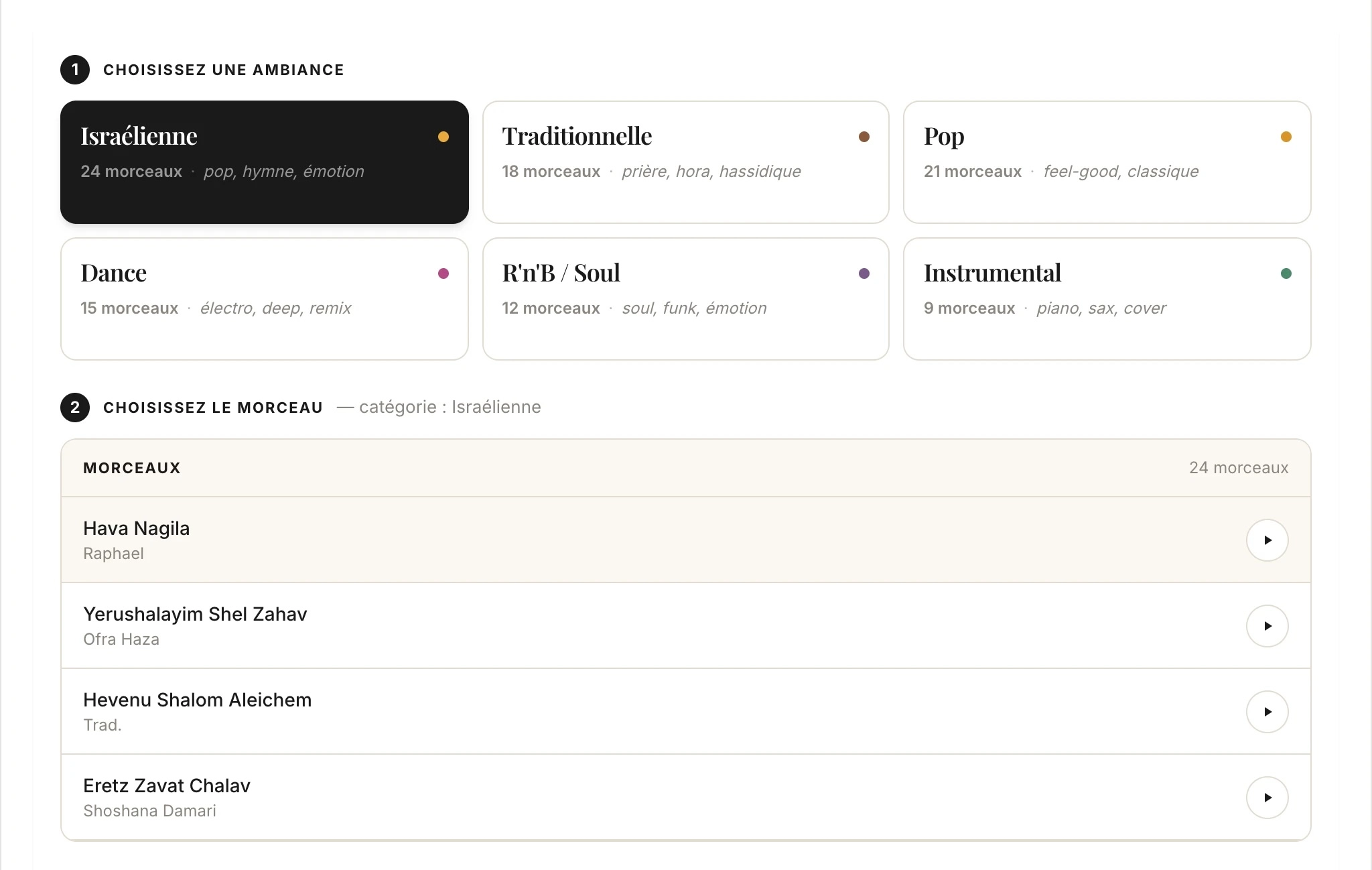
From your personal space, enable the Music section, choose a category from 8 moods, then select your track. Every track has a preview button so you can listen before confirming. Turn autoplay on or off in one click.
For guests — a discreet play/pause bubble
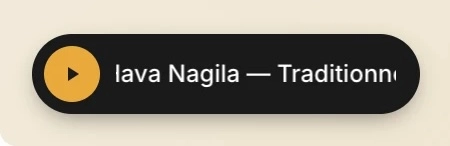
Your guests see a small golden bubble in the bottom left of the invitation, with the track title scrolling by. They can pause it anytime. Playback starts muted and respects mobile browser restrictions — no surprises for your guests.
A varied library for every taste
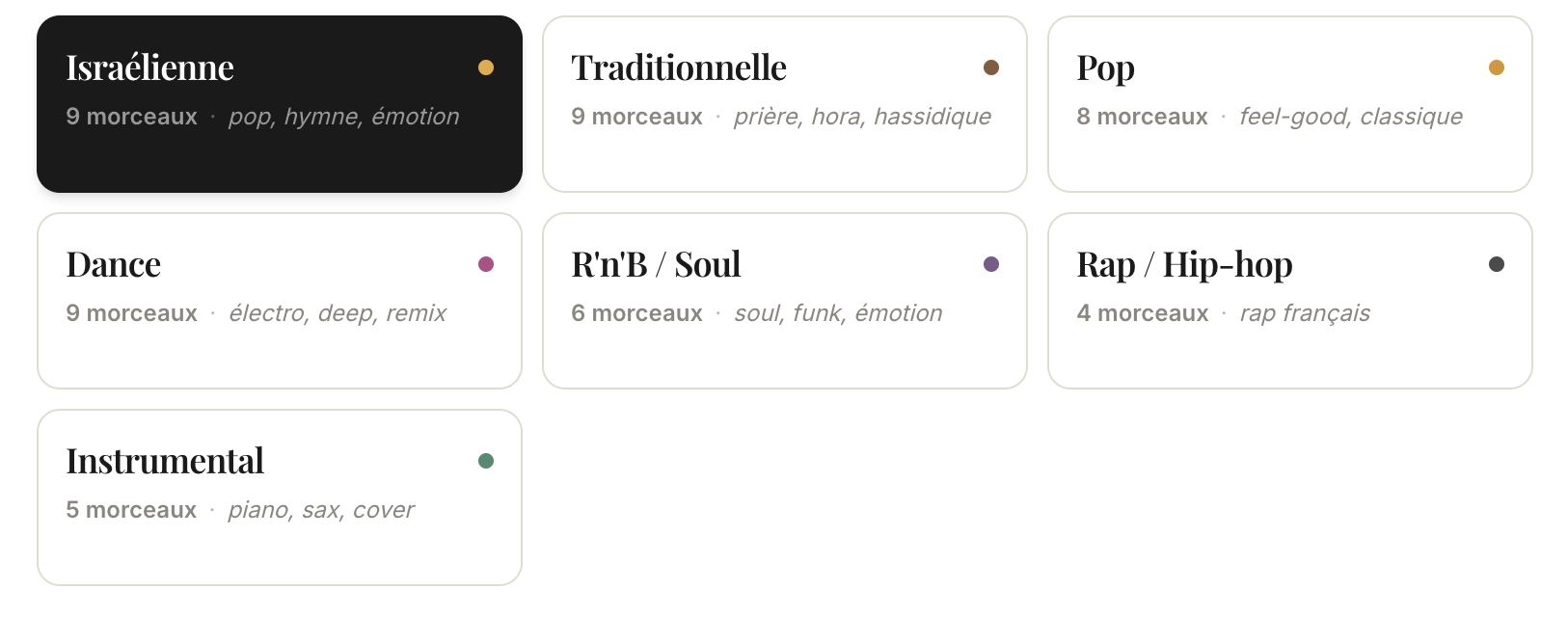
From traditional to dancefloor, via Israeli pop and instrumental — choose the mood that fits your ceremony.
All the features of the digital invitation
Music is just one of the many features included in your online Bar Mitzvah invitation.
Frequently asked questions about invitation music
Does the music play automatically on mobile?
On computers, the music starts muted as soon as the invitation opens. On mobile, some browsers (Safari, Chrome on iOS) block autoplay: in that case, your guests simply see the golden bubble and can start playback in one click. You always stay in control of turning autoplay on or off from your personal space.
My favorite song isn't in the library, what should I do?
If you'd like to add a track that isn't in the library yet, contact us at hello@barmitzvah-invite.fr — we regularly expand the list at families' request. Just tell us the title and artist, and we'll take care of the rest.
What audio formats are supported?
All tracks in the library are in MP3 format, compatible with all modern browsers (Chrome, Safari, Firefox, Edge) on computer, tablet, and mobile. Playback is smooth even on a 4G connection: the music loads in the background while your guests browse the program.
Can I disable music after publishing?
Yes, at any time. From your personal space, you can completely disable the Music section in one click — the bubble then disappears from the invitation. You can also change the track or simply turn off autoplay without removing the music. All changes are visible to your guests immediately.