One invitation per guest group — without making ten of them
Close family at all three ceremonies, friends only at the party, colleagues just at the service. Each group gets the right WhatsApp link, and only sees the ceremonies relevant to them.
The scenario every family knows
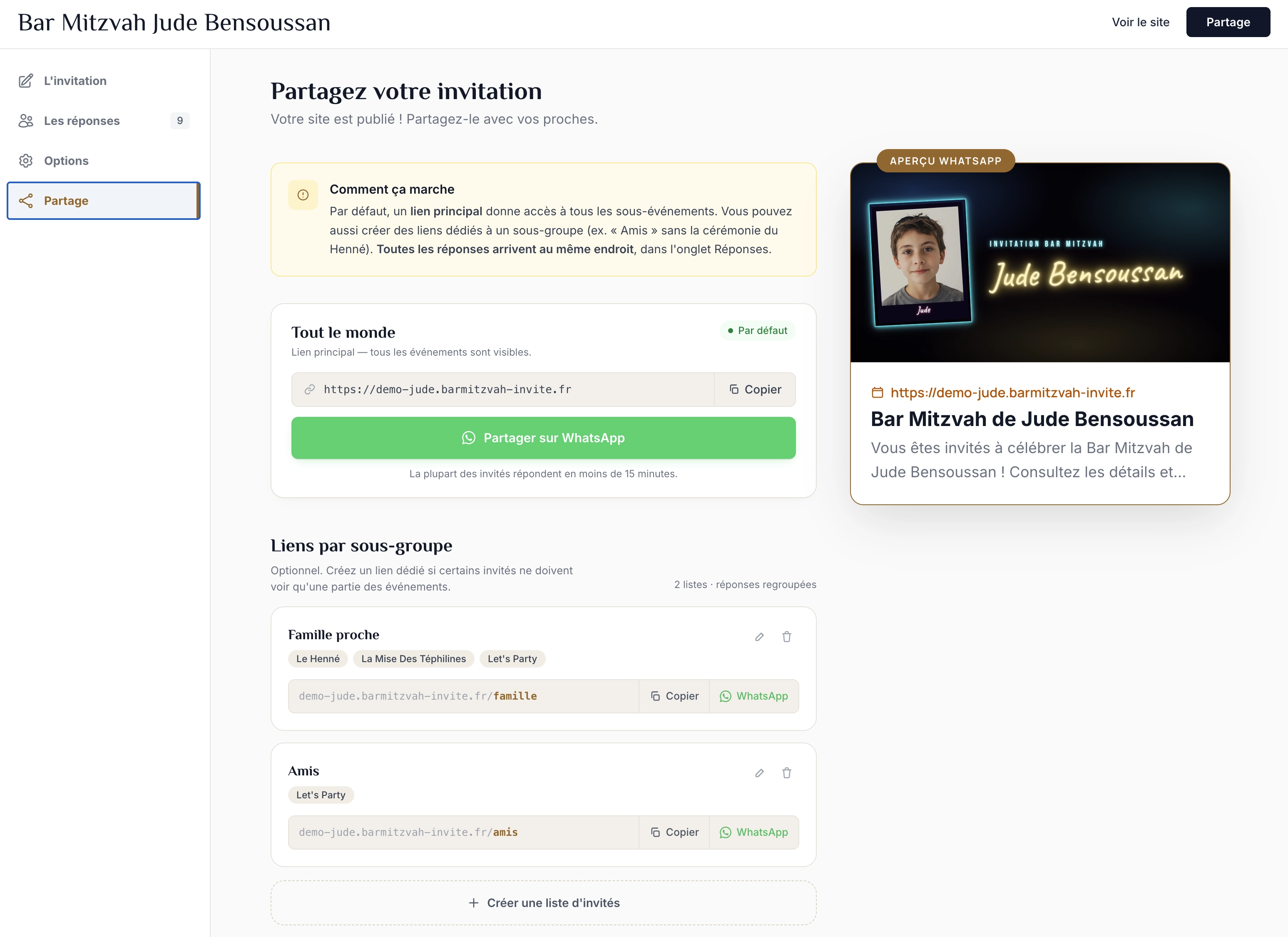
A Bar Mitzvah often involves several ceremonies: an intimate Tefillin laying, Shabbat at the synagogue, the party… Not everyone is invited to everything — and that's normal.
Without guest lists, you'd have to create multiple invitations, juggle several links, and manually merge the responses. With lists, you keep a single invitation with several filtered views.
For parents — create your lists in a few clicks
From the "Sharing" tab of your personal space, create as many lists as you have guest groups. For each list, name it ("Family", "Friends", "Colleagues"…) and check the ceremonies to include. A custom URL is generated automatically (e.g. david.barmitzvah-invite.fr/family). A WhatsApp button shares the link in one click.
For guests — everyone only sees their own program
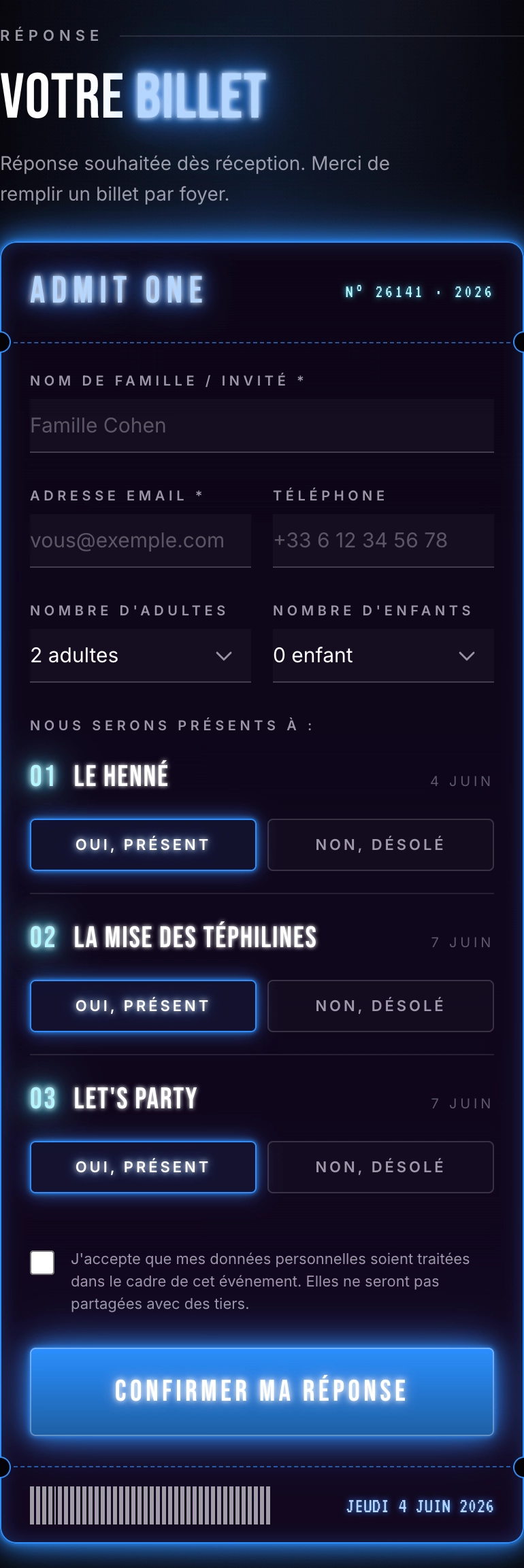
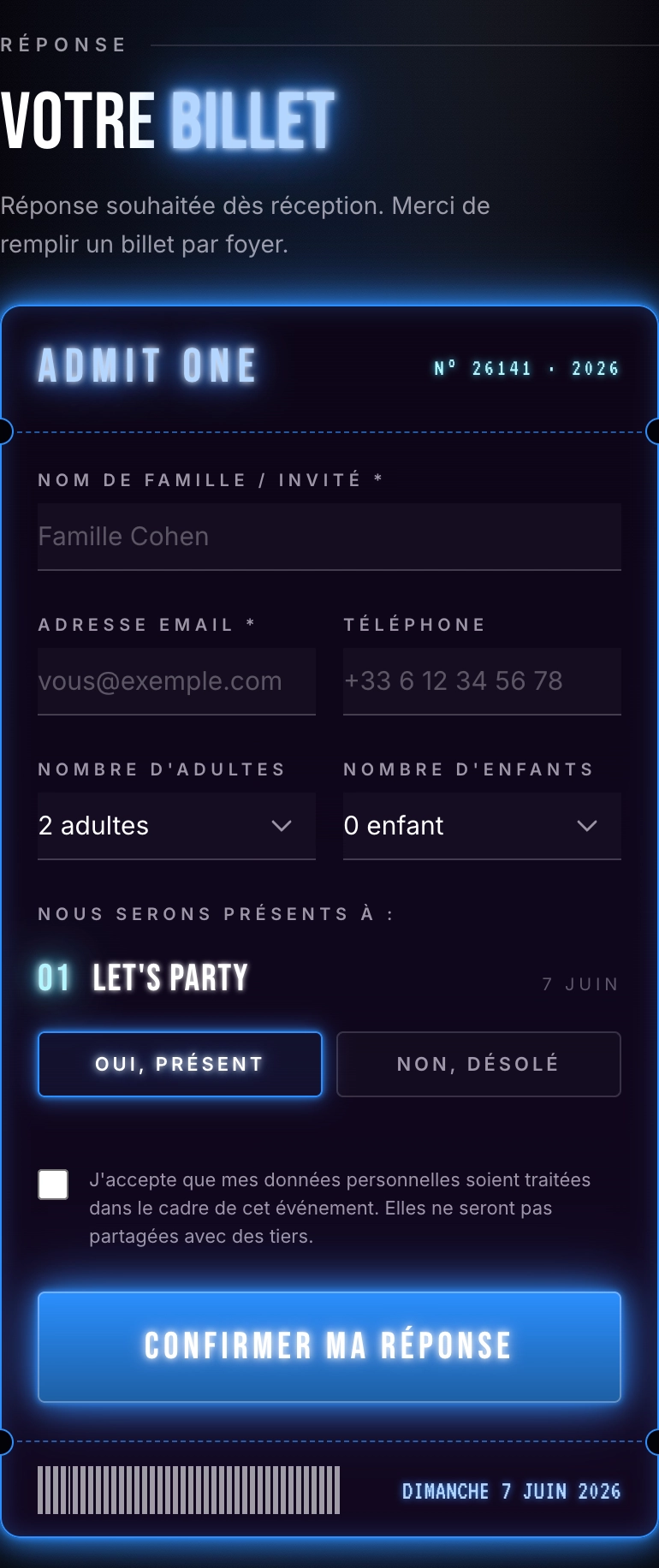
When a guest opens the link sent to them, they see a full, beautiful invitation that only shows the ceremonies they're invited to. No mention of other events — no risk of awkwardness, no private address shared with everyone.
All responses in a single table
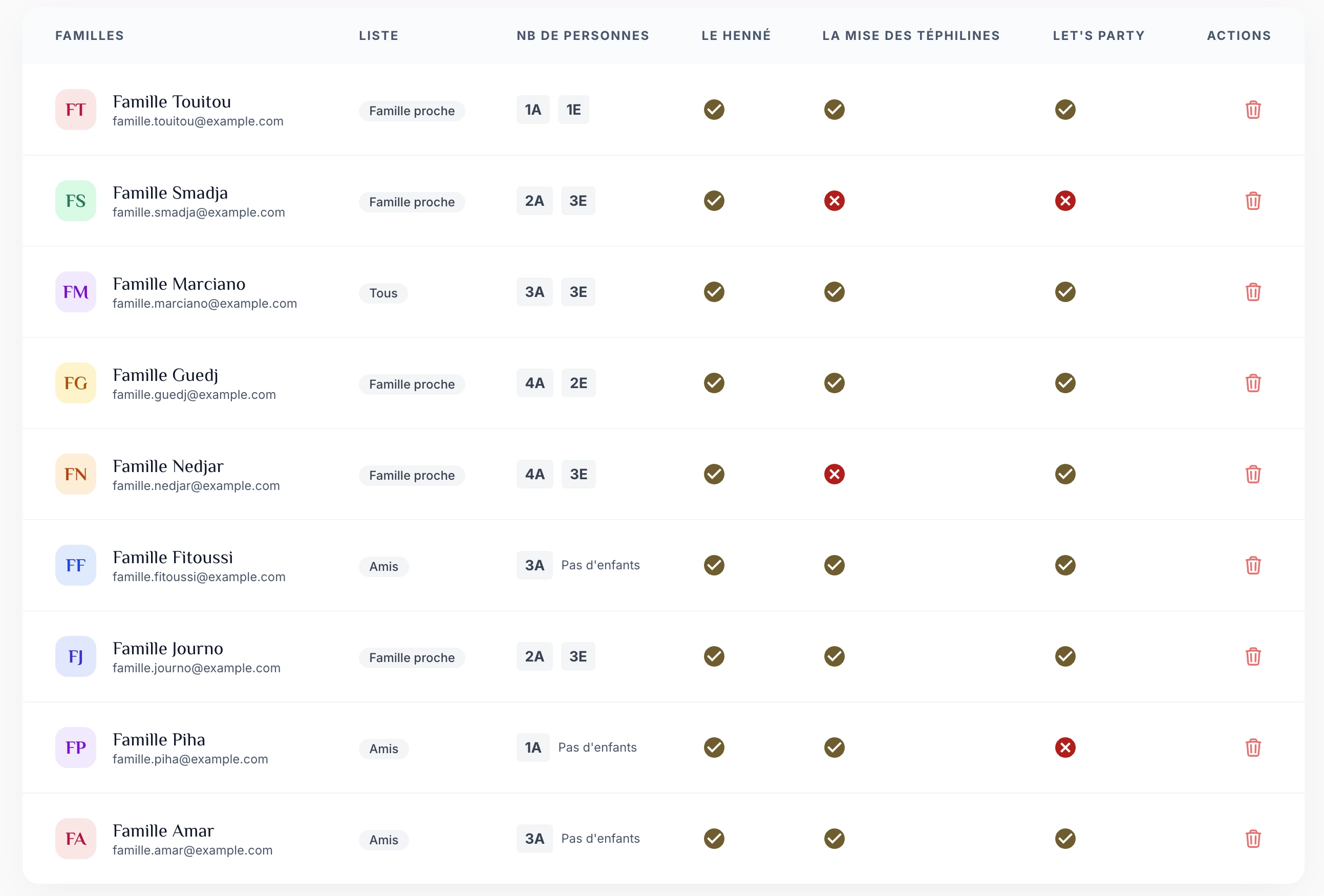
Your guests confirm their attendance ceremony by ceremony from their own filtered view. All responses, across every list, land in the same dashboard — with a "List" column and a dropdown filter to see at a glance who's coming to what. The CSV export includes the list name.
All the features of the digital invitation
Guest lists are just one of the many features included in your online Bar Mitzvah invitation.
Frequently asked questions about guest lists
Can my guests see the other ceremonies they're not invited to?
No. Each custom link only shows the ceremonies checked for that list. If a guest on the "Friends" list is only invited to the party, they won't see the Tefillin laying, the Shabbat service, or the synagogue address — only the party. No mention of the other events appears on their page.
Can I edit a list after sharing it?
Yes, at any time. You can add or remove ceremonies, rename a list, or delete one. The link your guests already received stays valid — the next time they open it, they'll automatically see the updated version. No need to send a new link.
How do I know who responded to which list?
All responses land in the same dashboard, in the "Responses" tab. A "List" column shows, for each RSVP, which link it came from. A dropdown filter lets you show only the responses for a given list — handy for preparing the seating plan for the party or Sunday brunch. The CSV export also includes the "List" column.